

Easily embed your Bublup rolls on your existing websites. For Business & Enterprise plans.
- Open a roll that you own and go to the ☰ menu in the upper-left corner.
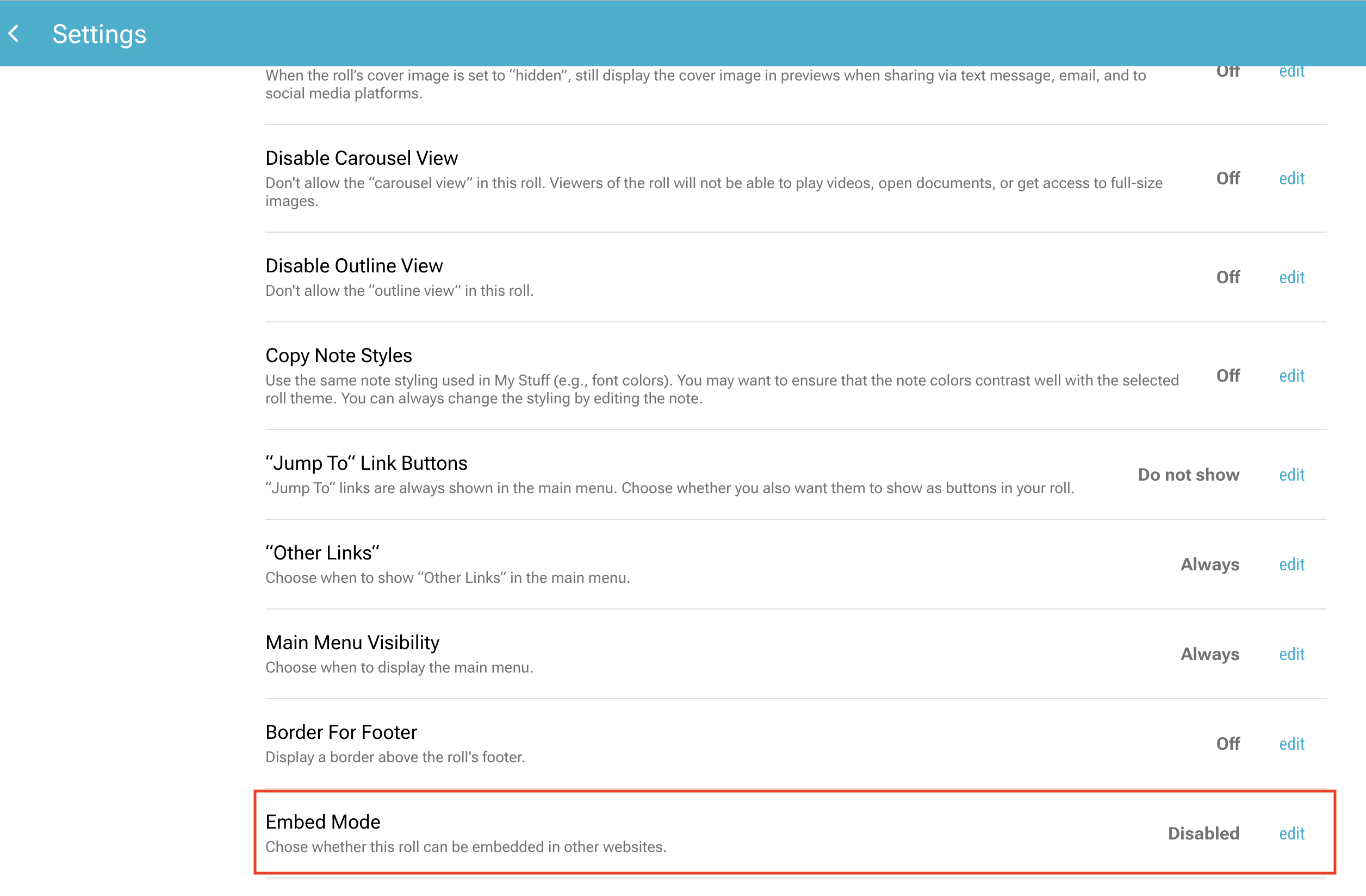
- Scroll until you see “Embed Mode” and click “edit”.
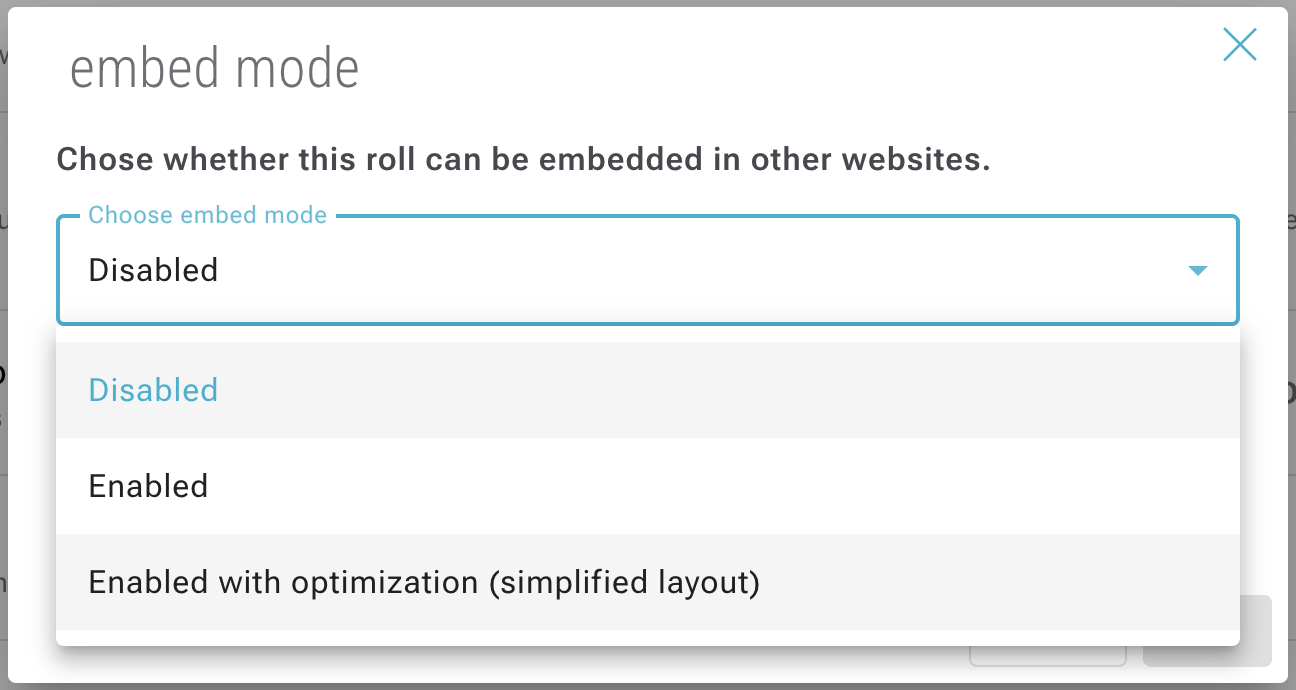
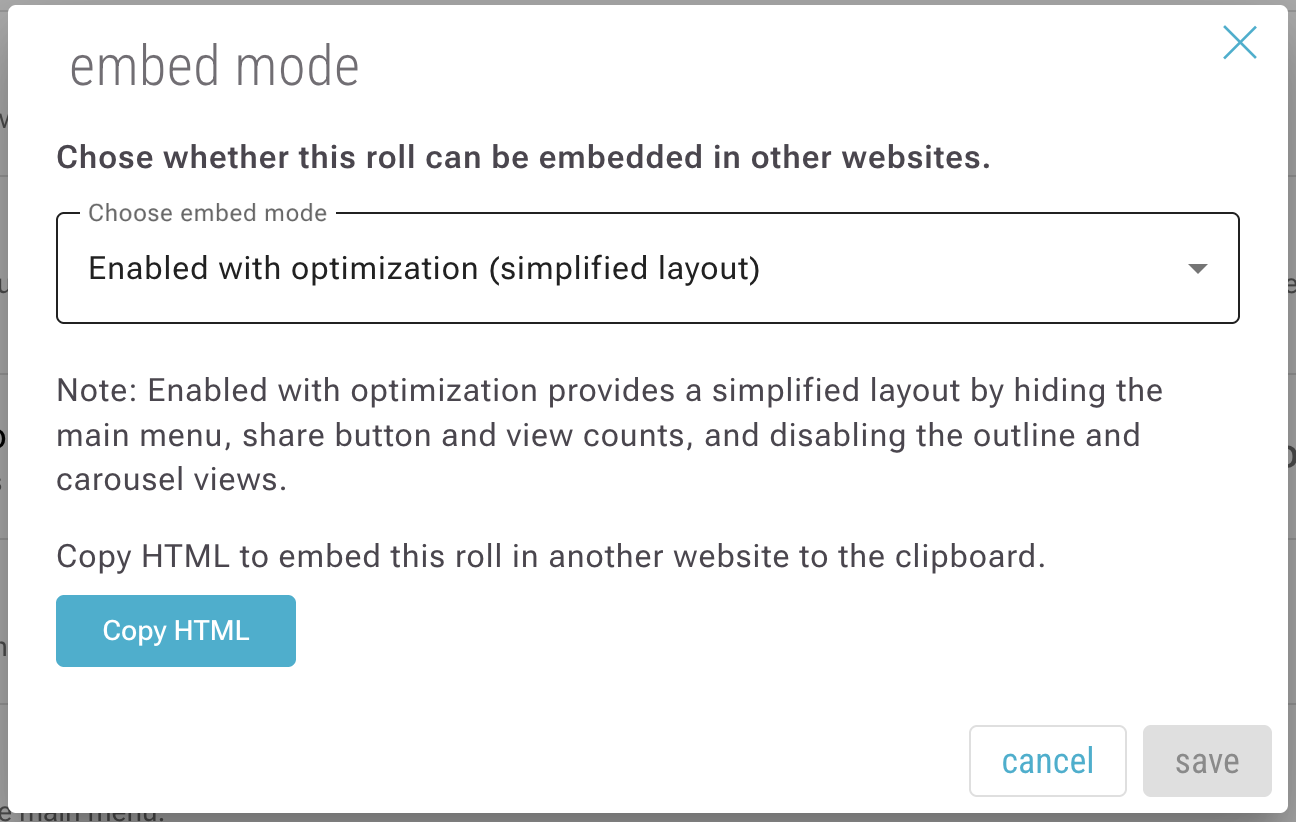
- Select “Enabled” to embed the roll exactly as-is, or select “Enabled with optimization” (recommended) to produce the most optimal view for embedding.
- Click “copy HTML” and paste that HTML into your website.
- The roll will appear on your website within a scrollable iFrame.