

Bublup’s AI-powered moderation feature helps keep your communities and forums safe, respectful, and on-topic. Use pre-defined moderation rules and customize further by adding your own. Available for Business and Enterprise plans.
Enabling AI Moderation
- Within a Community or other space, open the Settings in the upper-right corner.

- Navigate to “AI Content Moderator”.
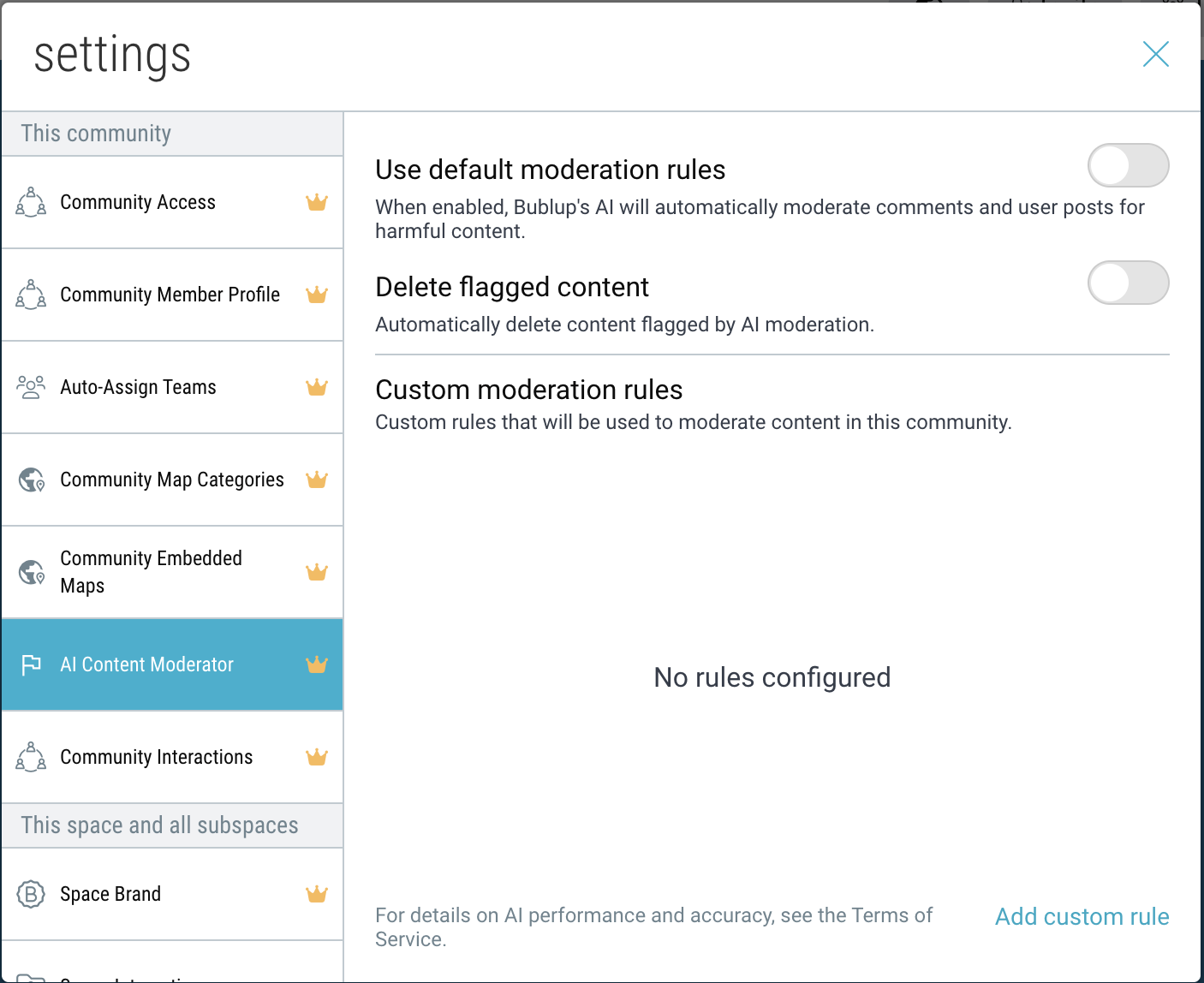
- Choose between several options:
- Use default moderation rules
When enabled, Bublup’s AI will automatically moderate comments and user posts for harmful content. For a full list of default rules, click here. - Delete flagged content
When enabled, content flagged by the AI Moderator will be automatically deleted. - Custom moderation rules
Create custom rules that will be used to moderate content in your community or space.
- Use default moderation rules
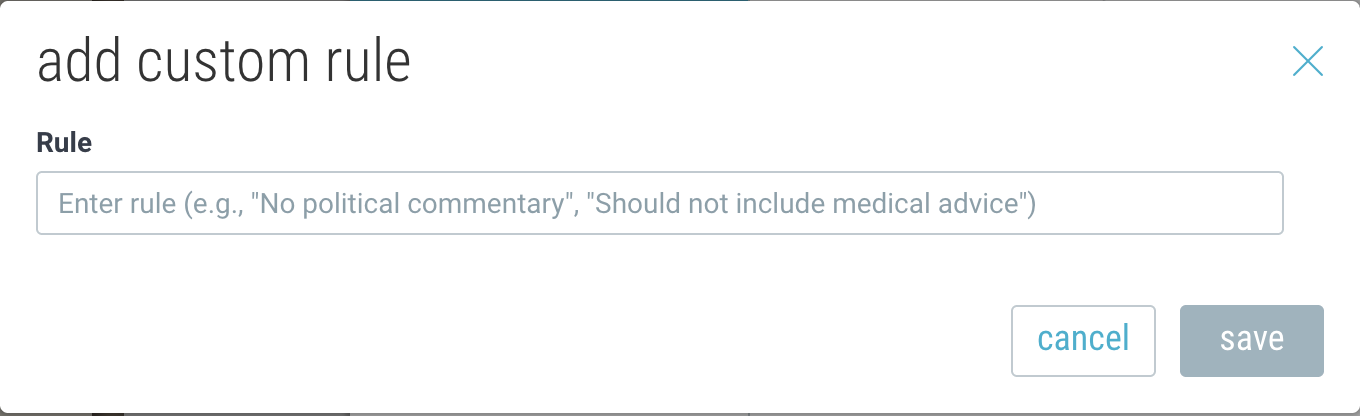
- To configure a custom rule, click “Add custom rule”. Then enter a rule for the AI to interpret.
In Communities, there is also the option to exempt certain “roles” from being subjected to a custom rule.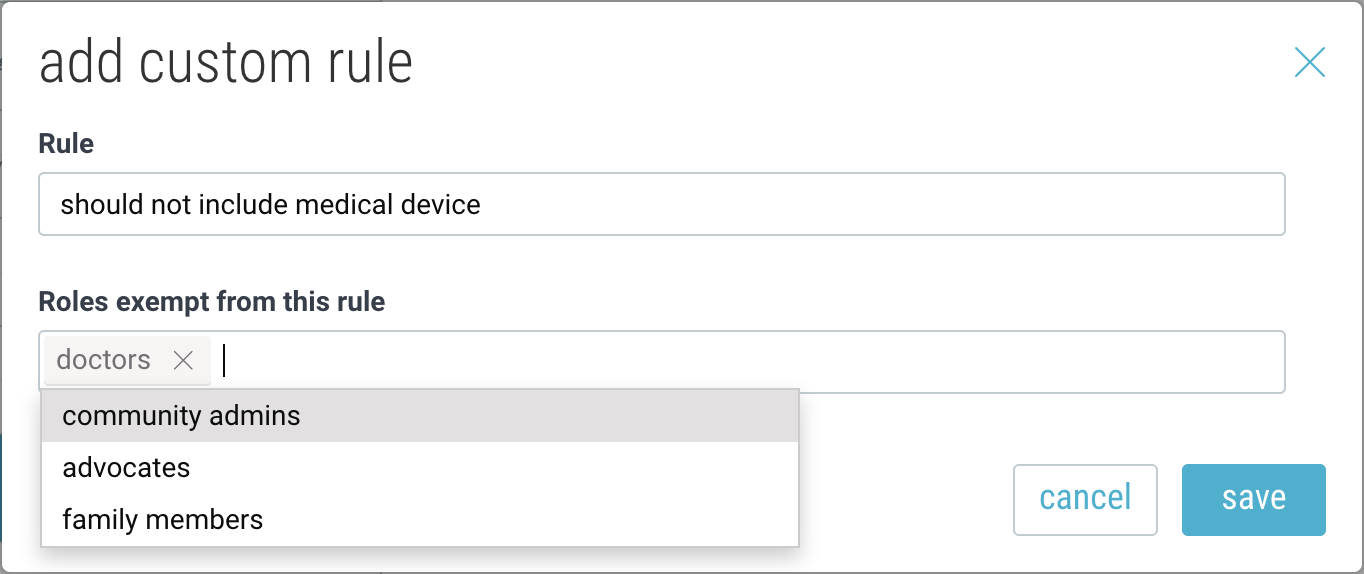
Roles can be customized within the Community Member Profiles section of Settings.
Flagged Content
When content violates a rule, it will be automatically flagged, and the user will receive a notification.
- If auto-delete is not enabled, the flagged post or comment will still appear, but the content will not be visible.
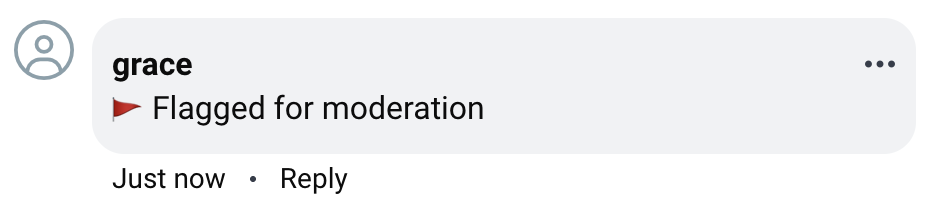
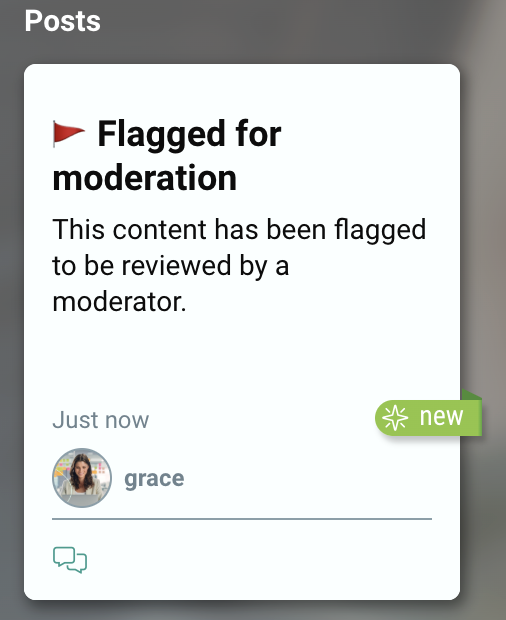
- If auto-delete is enabled, the content will automatically be removed as soon as it is flagged by the system, and the user will be notified.

Reviewing Flagged Content
All community or space admins will be notified whenever content is flagged for moderation.
Click on “Review Admin” to view all flagged content for a given space.
Filter by content type (comment, item) as well as Status (flagged, deleted, allowed, etc.).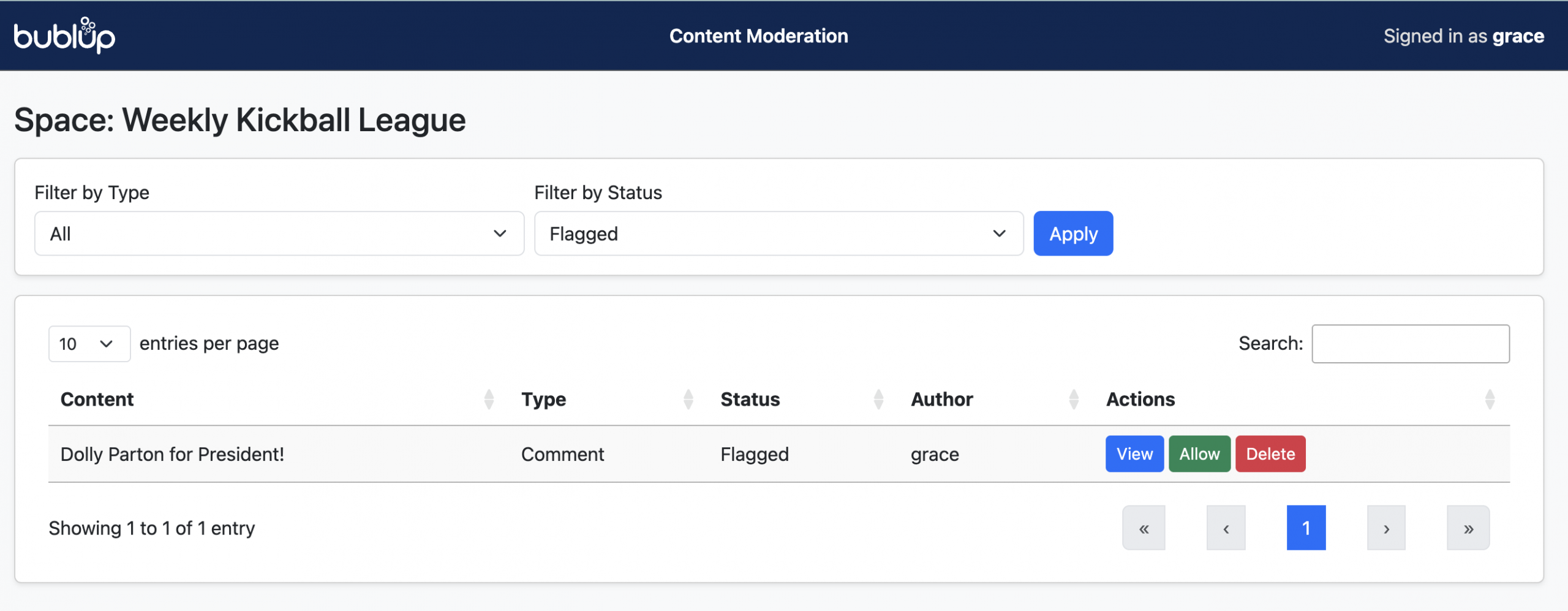
Choose to allow or delete the flagged content, or click “View” to see more details.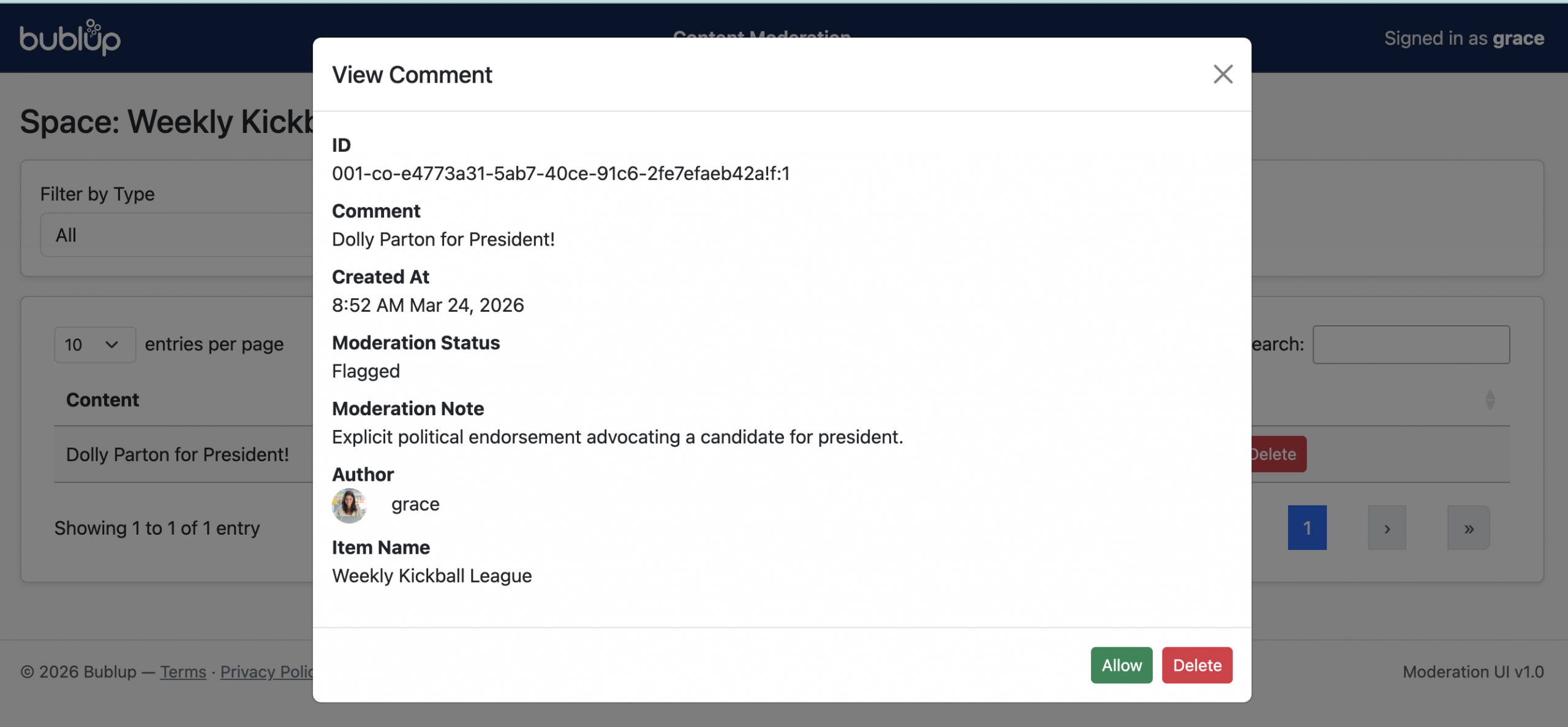
Default Moderation Rules
-
Harassment / Threats
Content that promotes or includes harassment, abuse, or threats of harm toward any individual or group, including violent threats. -
Hate / Threatening Hate
Content that promotes or expresses hate toward protected groups (e.g., race, gender, religion, sexual orientation), including threats or violence. Hate toward non-protected groups is classified as harassment. -
Illicit / Violent Activity
Content that provides instructions or advice for illegal acts, including those involving violence or weapons. -
Self-Harm / Suicide
Content that depicts, promotes, or encourages self-harm (e.g., suicide, cutting, eating disorders), including expressions of intent or instructions. -
Sexual Content / Minors
Content intended to arouse sexual interest or promote sexual services (excluding legitimate education). Any sexual content involving minors is strictly prohibited. -
Violence / Graphic Violence
Content depicting violence, injury, or death, especially when shown in graphic or explicit detail.