

Owners and Admins have more control over membership in group folders
To manage an existing subfolder’s membership independently:
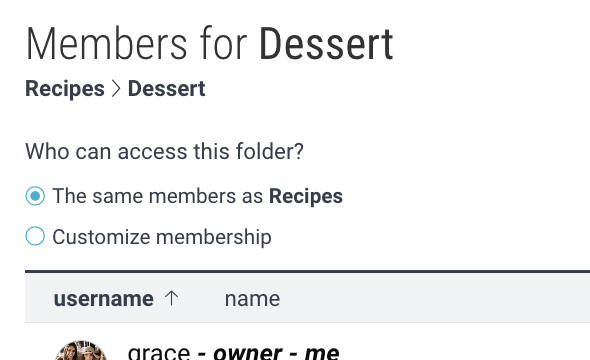
1. Navigate to the subfolder and tap on the avatars area for that folder.

2. Select “Customize membership”.
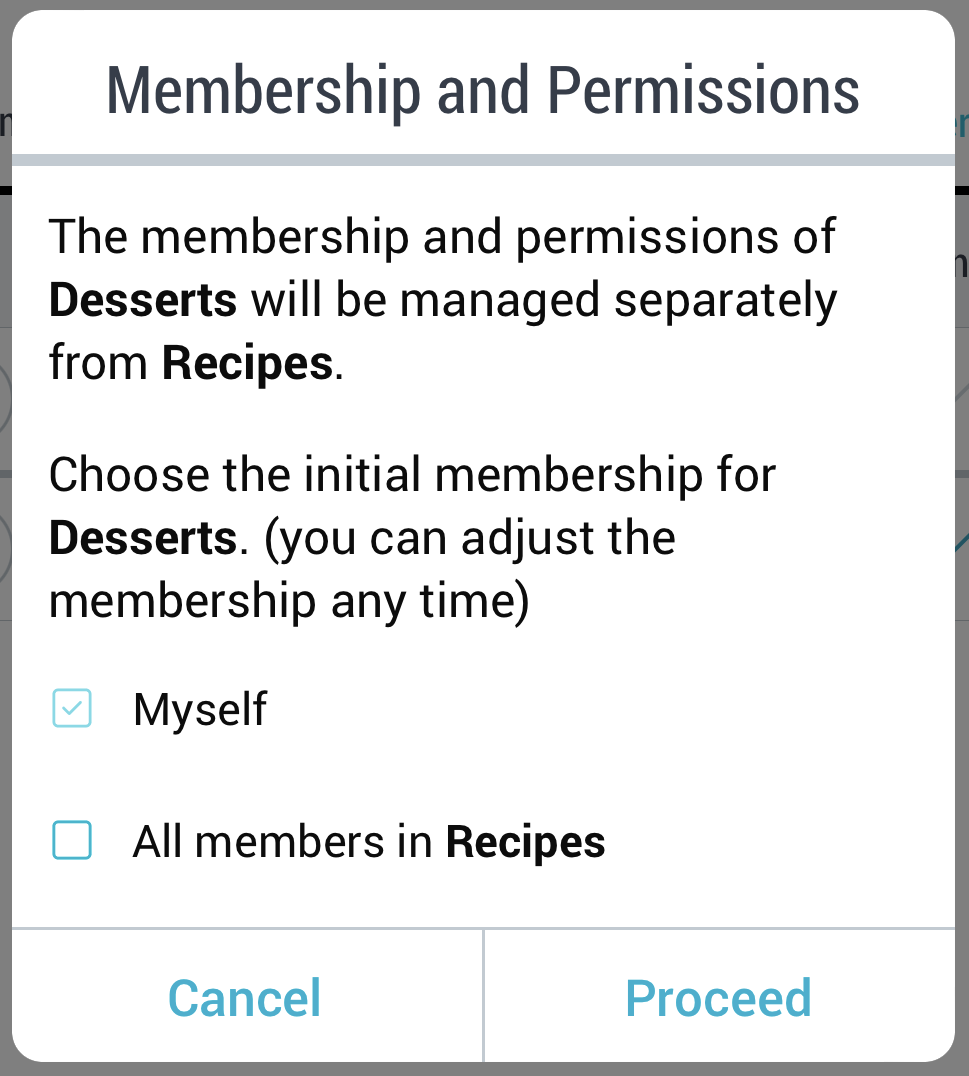
3. Choose the starting list of members in this folder and click “Proceed”. You must include yourself, and can optionally copy over all of the active members, as well as the pending invitations from the parent folder.
4. You will now see the same “manage members and permissions” interface as in any other group folder and will be able to make changes that don’t affect the parent. Go here for instructions on managing group folder membership.
The Admin Role
Owners can assign the admin role to one or more members of any group folder. An admin has almost all the capabilities of the owner, including:
- creating subfolders which are managed separately
- adding and removing members
- adjusting the permissions of existing members
- managing advanced folder settings
Note: In order to have full admin rights, a user must have a Premium subscription or higher, or be an Org Member.
Owners and Admins have more control over membership in group folders
To manage an existing subfolder’s membership independently:
1. Navigate to the subfolder and click on the avatars area for that folder.

2. Select “Customize membership”.
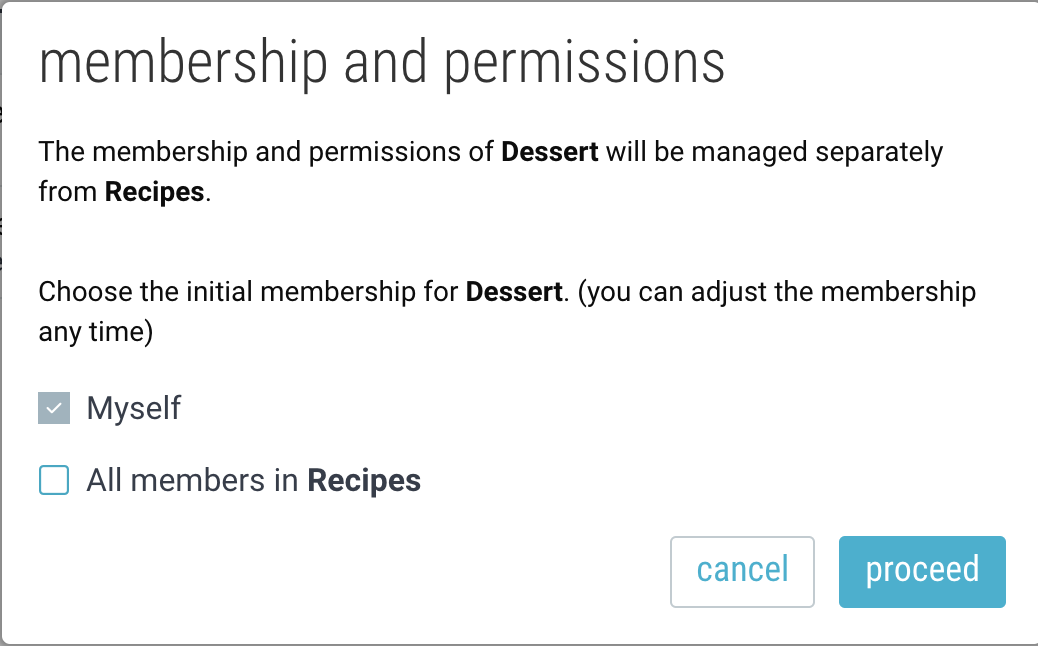
3. Choose the starting list of members in this folder and click “Proceed”. You must include yourself, and can optionally copy over all of the active members, as well as the pending invitations from the parent folder.
4. You will now see the same “manage members and permissions” interface as in any other group folder and will be able to make changes that don’t affect the parent. Go here for instructions on managing group folder membership.
The Admin Role
Owners can assign the admin role to one or more members of any group folder. An admin has almost all the capabilities of the owner, including:
- creating subfolders which are managed separately
- adding and removing members
- adjusting the permissions of existing members
- managing advanced folder settings
Note: In order to have full admin rights, a user must have a Premium subscription or higher, or be an Org Member.